Markdown, at your fingertips.
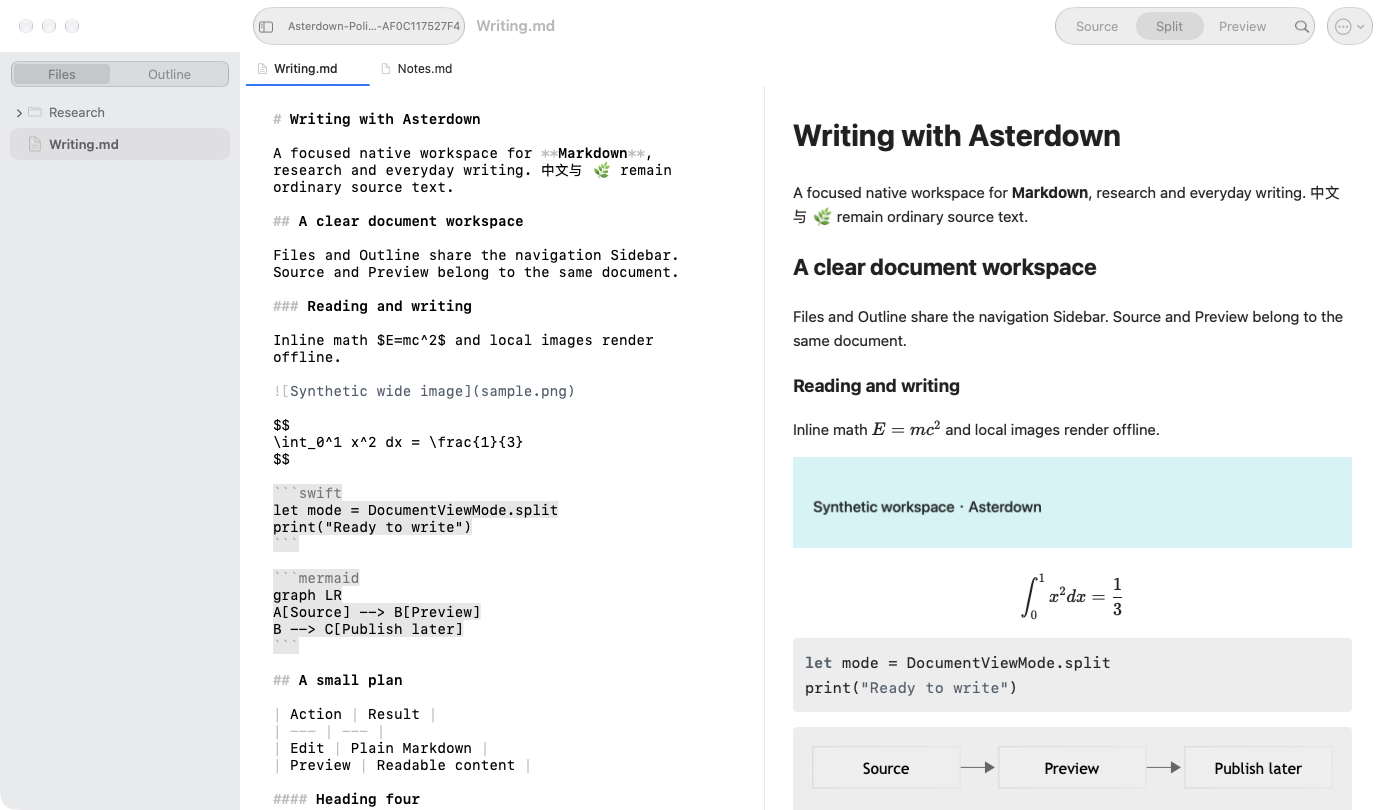
Write directly in Markdown with native text selection, Find, familiar formatting shortcuts, and Undo. The source stays yours.
A native Markdown editor for Mac. Your words, your local files, and a clear view of what you’re creating.
macOS 14 or later · Apple silicon & Intel
From the first outline to the final paragraph, keep your writing close and the tools within reach.
Write directly in Markdown with native text selection, Find, familiar formatting shortcuts, and Undo. The source stays yours.
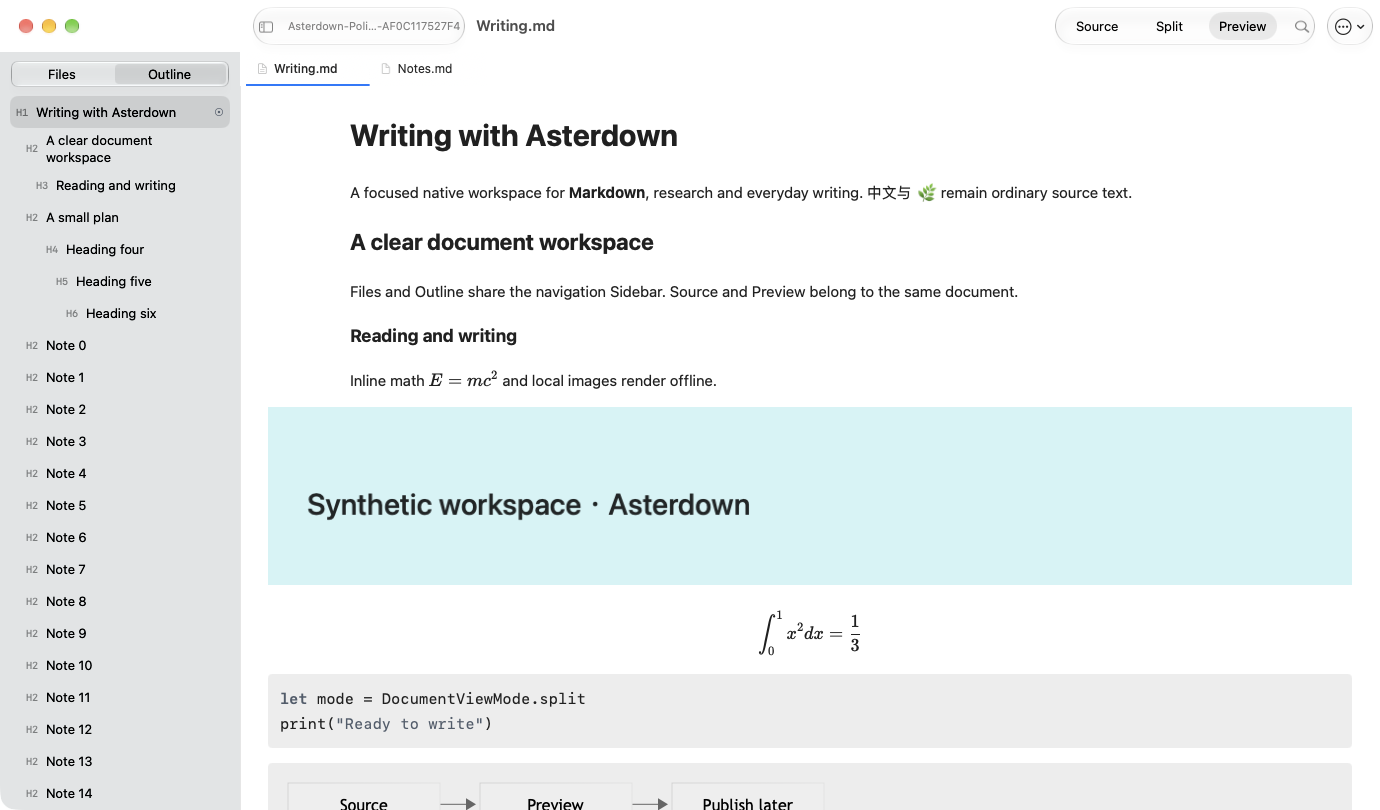
Open a real folder. Move between document tabs, jump to a heading, or find a phrase across your workspace.
Switch between source, split view, and preview. Tables, highlighted code, math, and Mermaid diagrams bring a document into focus.
Save standard Markdown files in folders you choose. Keep working with Finder, Git, and the other tools you already use.
Paste or drag images into local assets. Inspect references and run upload, download, or migration tasks with providers you configure.
Choose light, dark, or system appearance, with six accent options. The editor and preview share a coordinated palette.
CommonMark and GitHub Flavored Markdown form the foundation. Choose Standard, GitHub, or Typora profiles for the extensions your document needs.
Extensions vary by profile. Preview supports a sanitized subset of HTML; full compatibility with other editors is not promised. Front Matter is recognized in the source and omitted from preview.
The first release puts writing first. Commercial features will follow in a separate version.
V1 · First release
Free
Planned for the first release
macOS 14 or later · Apple silicon & Intel
The planned model is a 15-day full trial, followed by a one-time purchase with no subscription. This is a future plan, not a trial or purchase available today. Final regional prices will appear in the App Store.
Distribution is planned through the Mac App Store, outside the mainland China storefront. A public download link has not yet been announced.
Pricing & availabilityStraight answers before you start.
Asterdown is a native Markdown editor for macOS, built around source editing, local folder workspaces, and a separate rich preview.
The app targets macOS 14 or later, with a Universal build for Apple silicon and Intel. There is no iOS, Windows, or web editor in the current product.
In the files and folders you open on your Mac. Asterdown uses your folder permission and keeps Markdown files as the source of truth. It does not move your documents into a private vault.
Yes. Documents are ordinary Markdown files. Rendering of profile-specific extensions can vary between editors.
The current app has no Asterdown account or payment system. V1 is planned as free; the future V2 plan is a trial and a one-time purchase, without a subscription.
Local editing and bundled code highlighting, math, and Mermaid preview work offline. Remote images and transfers to configured image providers need a connection.
Save with Command-S. Closing an edited document asks you to save, discard, or cancel. The current app does not provide autosave or recovery of unsaved text after a crash.
English, 简体中文, 繁體中文, 日本語, and 한국어. The app can follow your system language or use a language you select.
The official Support page provides common answers and guidance for preparing a bug report or feature request.